Bug #3928
UI Rewamp - Trip request
100%
Description
Design url:- https://www.figma.com/design/srU7G5jjUOjZDDpyRqH4UK/Tukxi-App?node-id=0-1&t=vtnFRJWBU6kRpNfl-1
Changes
-----------
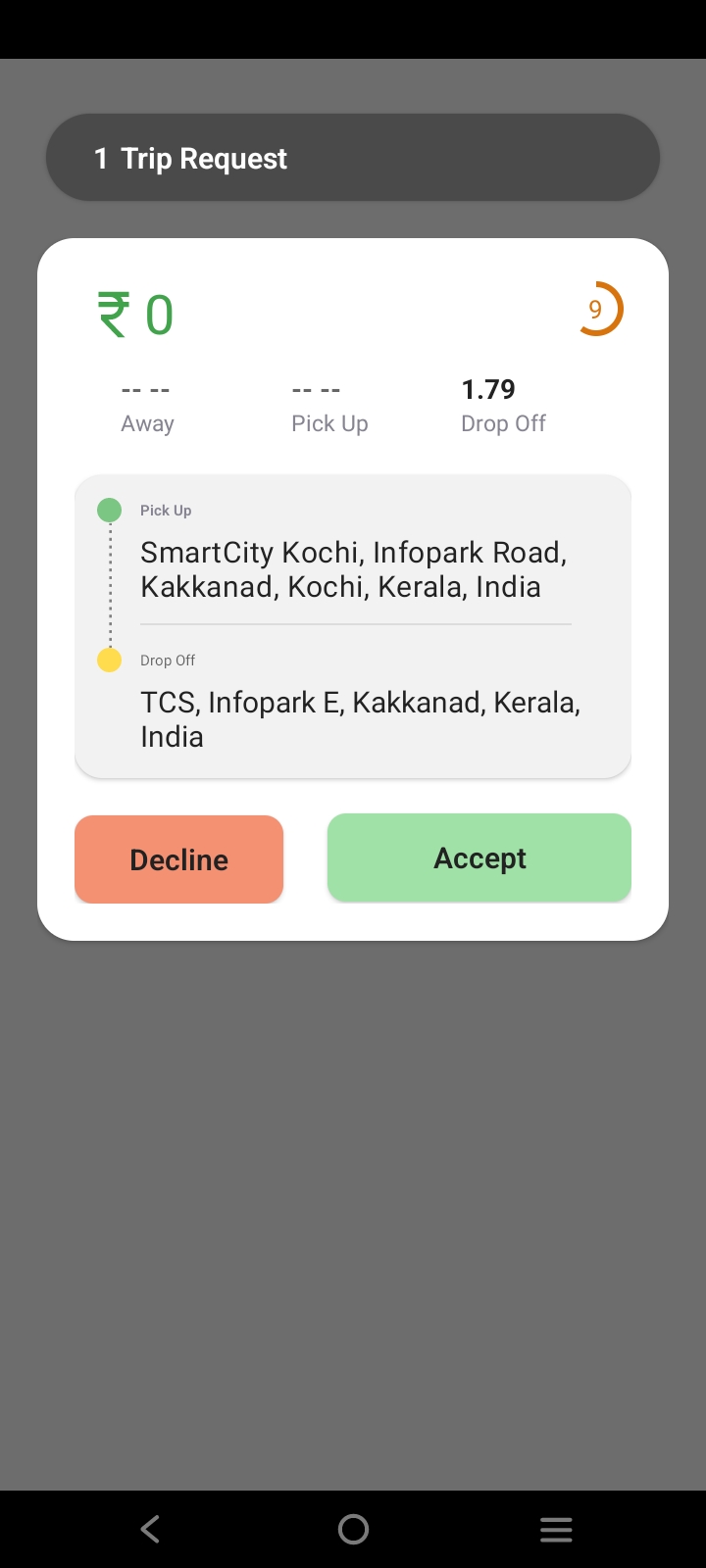
Show timer in right top corner of each trip request item
Show close icon instead of cancell all button
Files
Related issues
Updated by Sreedevi K S over 1 year ago
- Due date set to 12/20/2024
- Branch name set to sprint-25_sreedevi_3928
Updated by Sreedevi K S over 1 year ago
- Status changed from New to In Progress
Previously done with branch : develop_sree_2715 , Bug : #2715
Updated by Sreedevi K S over 1 year ago
- % Done changed from 0 to 90
Ride Request UI completed
Pending :
1. Background Image Confirmation from Tukxi Team
2. Cancel All Button Confirmation from Tukxi Team
3. Counter time Confirmation from Tukxi Team
Updated by Sreedevi K S over 1 year ago
- Status changed from In Progress to Resolved
Waiting for Tukxi marketing team confirmation
Updated by Anupama P about 1 year ago
- Target version changed from 1.0.7 to 1.0.8
- Milestone deleted (
Sprint 25 Tukxi Ride 2024 Nov 01 to Nov 30) - Milestone set to Sprint 26 Tukxi Ride 2025 Jan 01 to Jan 31
Updated by Anupama P about 1 year ago
- Description updated (diff)
Changes
-----------
Show timer in right top corner of each trip request item
Show close icon instead of cancell all button
Updated by Sreedevi K S about 1 year ago
- Status changed from In Progress to Resolved
- % Done changed from 90 to 100
Set timer from the old UI in right top corner of each trip request item
Show close icon image with same ui instead of cancell all button
Remove background and make transparent to the Cab Requested Screen
Updated by Firosha Fathima 11 months ago
- Status changed from QA In Progress to Reopened
UI Rewamp - Trip request failed in falcon
1,Set timer from the old UI in right top corner of each trip request item passed
2,Show close icon image with same ui instead of cancel all button passed
3,Remove background and make transparent to the Cab Requested Screen passed
Issue in spacing failed
suggestion
1,Reduce the space in total count area at the top
2,Reduce the font size of the cost and the timer
3,In a page try to display 2 trip request or atleast half details of the second trip request
Updated by Sreedevi K S 11 months ago
1. Reduce the space in the total count area at the top – Done
2. Reduce the font size of the cost and the timer – Done
3. Display 2 trip requests or at least half of the second trip request on the same page –
This cannot be guaranteed because the size of the trip request card is not fixed, and Android devices vary widely in screen size and resolution. If we try to display one and a half trip requests on all screens, it may break the UI on smaller devices. (One & half Trips can be visible in OPPO)
( Currently, a scroll feature is available to handle multiple trip requests. Additionally, the current size of each trip request card closely follows the design provided by the marketing team. Any change or reduction in card size should be discussed with them before proceeding.)